For WordPress agencies

Your client shouldn't be the one who finds website issues.

The QA bot inspects every WordPress change your team makes, marks what's wrong in red pen, and sends it back before the client sees it.

The inspection log

  1. Link the new page from every page

    12 of 15 places right

    Sent back
  2. Add a new service page

    14 of 15 places right

    Sent back
  3. Change the phone number everywhere

    30 of 36 places right

    Sent back
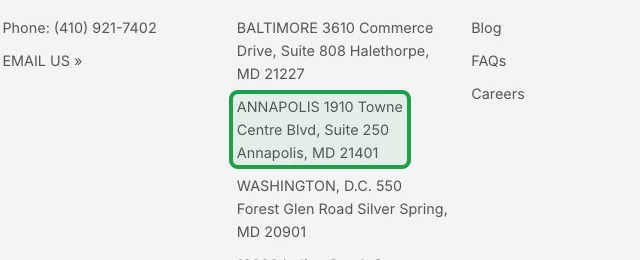
  4. Add the new office to the footer

    24 of 24 places right

    Closed

Every request in the webinar

See four of them

14

WordPress requests inspected

193

places checked, in about 2 minutes

5

sent back before the client saw them

What clients find

Common, daily issues in every digital marketing agency.

You've likely had a few of these. Each one is in the client's own words, with the names taken out.

  • “Why is there a giant photo covering the whole home page on my phone?”

    Dental practice client · Monday, 7:41 AM

  • “We haven't had a single web lead since Thursday. Is the form working?”

    HVAC company client · Tuesday, 9:15 AM

  • “You said the new number was updated. It's still the old one on the contact page.”

    Law firm client · Wednesday, 2:20 PM

  • “I asked for this on every location page. It's only on one.”

    Roofing company client · Thursday, 11:02 AM

  • “The Book Now button goes to a page that says Not Found.”

    Med spa client · Saturday, 10:30 AM

  • “We stopped offering that service in March. Why is it still on the site?”

    Plumbing company client · Monday, 3:48 PM

  • “Where did the Careers link go? We're hiring.”

    Physical therapy clinic client · Tuesday, 1:12 PM

  • “Why does our About page say Lorem ipsum?”

    Restaurant group client · Friday, 4:52 PM

  • “The menu doesn't open on my phone.”

    Landscaping company client · Sunday, 8:05 PM

  • “Google still shows our old business name.”

    Accounting firm client · Wednesday, 9:40 AM

Today

Who checks the work today?

  1. The developer looks at the page they changed.
  2. A project manager clicks around, when there's time.
  3. The client finds the rest.

Your team isn't careless. Opening every page after every change is a job nobody has time for.

Every change

What if AI checked every change?

You've heard what AI can do. Here's what it looks like on one WordPress change.

How the QA bot inspects a change

  1. 1

    Your developer marks the request done.

  2. 2

    The QA bot opens every page the request touches and checks every place, the way your client would.

  3. 3

    If every place is right, the ticket closes. If not, it goes back to the developer with photos, before your client sees it.

Inspections

Four real inspections.

Four requests the webinar ran on a copy of a plumbing company's WordPress site. Each one came back from the developer marked done. Then the QA bot opened every page it touched.

Inspection 2 of 4

Add a new service page

Sent back
The client asked
Create a new “Water Heater Repair & Installation” service page.
Your developer marked it done
“Done. The new Water Heater Repair & Installation page is live.”
What the QA bot found
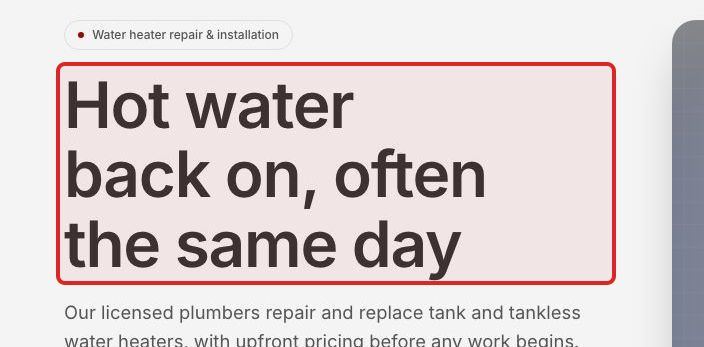
The page is live and in the menu on every page. But its main headline reads “Hot water back on, often the same day”. It never says water heater repair, the words people search for.
The new page's main headline, “Hot water back on, often the same day”, boxed in red
Water heater repair and installation page The main headline doesn't say “Water Heater Repair & Installation”

14 of 15 places right

Sent back to the developer, with the screenshots, before the client sees it.
Inspection 3 of 4

Change the phone number everywhere

Sent back
The client asked
Our main phone number is changing to (410) 555-0142. Can you guys please update it everywhere it appears?
Your developer marked it done
“Done. I changed the main number from (410) 921-7402 to (410) 555-0142 in the footer, which appears on every page.”
What the QA bot found
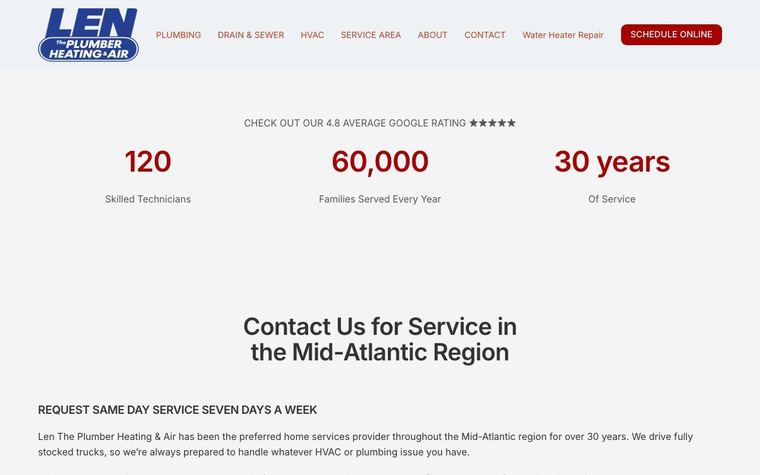
The bot checked 36 places on 6 pages. The Plumbing page got missed: it still shows the old number. The Contact page has one old number left. Everything else is right.
The Plumbing page's footer, still showing the old number, (410) 921-7402, boxed
Plumbing page Still shows “Phone: (410) 921-7402”

30 of 36 places right

Sent back to the developer, with the screenshots, before the client sees it.
It catches what your team missed, before your client does.

Across all 14 requests in the webinar, the QA bot checked 193 places in about 2 minutes. It found problems in 5 of them, before the client saw any.

Now when your team says it's done, you can believe it.

Every spot checked and signed off before you tell the client it's good to go.

New clients

Take on a new client without a rebuild.

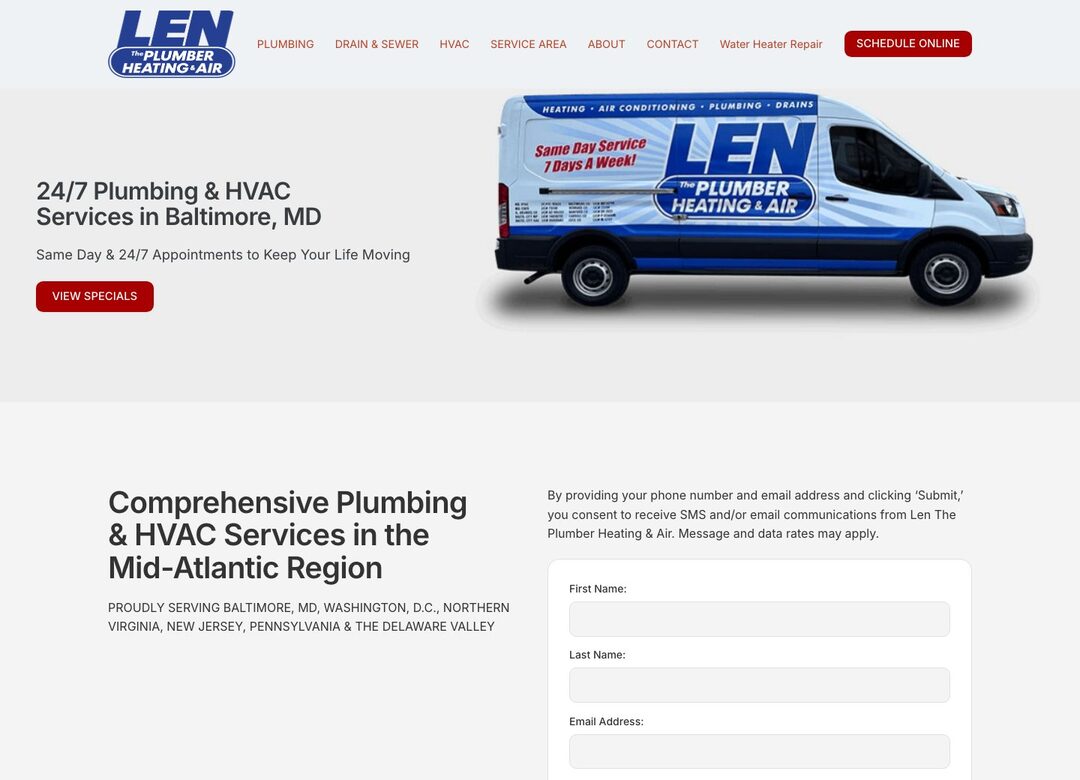
The last agency built these 4 pages 4 different ways. Your team moves them onto your standard blocks behind the scenes.

Before anyone touches the site, the QA bot records everything it has: every word, link, photo, phone number, tracking tag, and form field, plus a test entry through every form. After the move, it checks all of it again.

As it arrived: 4 ways

  • Home Elementor, with styles typed into each widget
  • Plumbing WPBakery, a page builder the site no longer runs
  • Baltimore area The classic editor, with hand-typed HTML
  • Contact us Divi, another removed page builder, and a hand-coded form

After the move: 1 way

All 4 pages on your standard blocks

This agency's standard is ACF blocks. The same move works for Gutenberg blocks, Elementor, or Twig templates.

What the client has

Before After Every word on every page 3,020 100% Links 21 21 of 21 Photos 3 3 of 3 Phone numbers 4 4 of 4 Tracking tags Tag Manager, Google Analytics, Meta Pixel, TikTok Pixel 4 4 of 4 Contact form fields 15 15 of 15 Test entries that arrive One through every page's form 3 of 4 4 of 4

Before the move, the Contact page's hand-coded form didn't deliver the bot's test entry. After it, every form does.

To the client, nothing changed. 3 old page addresses forward to the new ones, so search rankings carry over.

Nothing lost

The client's email

First a screenshot of a 404. Then this email.

A home services client found a missing service area page before their agency did. Then they asked how the agency would know next time.

From the client The email after the screenshot
What do you currently have in place to catch it when one of our pages goes down1, starts running slow2, or, worst case, gets hacked? I’d also like to know who on your end gets notified3, how fast that alert goes out4, and what the escalation and response process5 looks like in each case.

What an AI QA bot can do to address these concerns

  1. 1

    Goes down

    The bot checks that the site is up and available 24/7/365, and pings the team within minutes when it isn't.

  2. 2

    Starts running slow

    The bot checks response times once a day.

  3. 3

    Who on your end gets notified

    The site developer first, then the account manager after 15 minutes, then the agency owner after 30.

  4. 4

    How fast that alert goes out

    A missing or broken page gets caught by the daily check at 7:00 AM, and the alert comes with a screenshot of what visitors see.

  5. 5

    Escalation and response process

    Each kind of problem has written response steps.

Every morning, even when nobody touched the site

Every day at 7:00 AM, the QA bot screenshots every core page on a desktop and a phone and compares it with the last accepted shot. On the demo site, it caught 5 pages that lost their styling to a stale cache, while every uptime check passed.

Last accepted shot
The Home page on desktop, last accepted shot
This check
The Home page on desktop, this check

Home page on desktop: 43% of the page looks different.

The bot's read: “The page lost its design: the menu is a plain list of blue underlined links, buttons are gone, and the booking form is a jumbled row of tiny boxes.”

5 pages flagged

Flagged

Each page's bigger change, on a desktop or a phone

  1. Home 67% different
  2. Plumbing 65% different
  3. Baltimore area 59% different
  4. Contact us 60% different
  5. Water heater repair and installation 72% different

Every uptime check passed. The site was up, and it was broken.

The team marked the pages broken and cleared the cache. The next check found all 5 back to normal.

A simulated stale cache on the demo site. Nobody changed the site.

Next steps

Get the QA bot on your clients' sites.

  1. 1 Book a call.
  2. 2 We look at how your team ships WordPress changes today.
  3. 3 The bot goes on one site first.
Book a call

© 10ex.dev 2026